Live TV
A live HLS player stays active while users browse the channel list. Users can save their favorite channels locally. The layout adapts to the device: a vertical list on phones, a grid on tablets, and a horizontal list in fullscreen.
Entertainment · OTT streaming
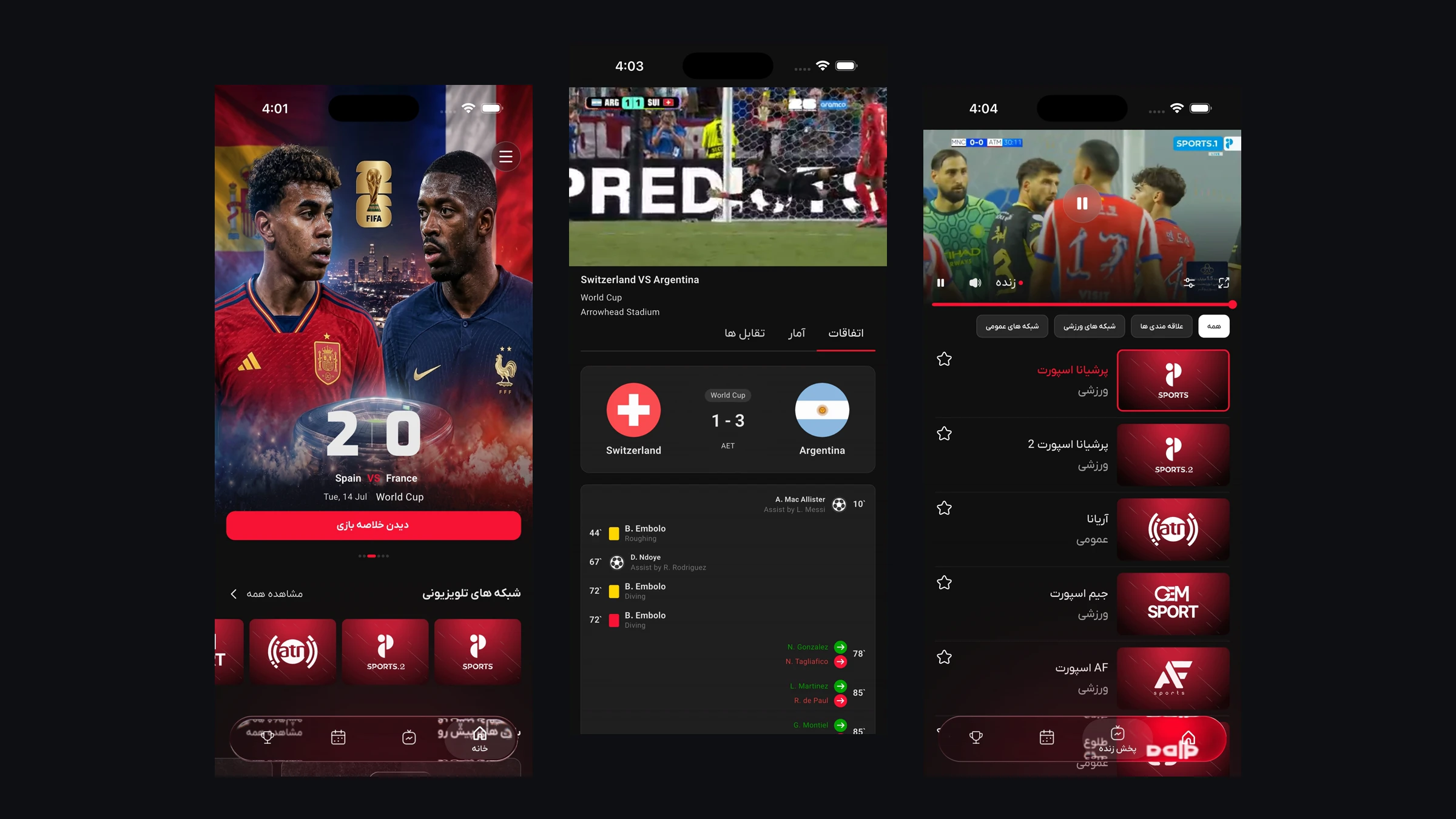
Live TV & Football Live Scores, with real-time scores and a fully custom player.
Liveland brings together live television and real-time football coverage in one simple and powerful app. Watch your favorite Afghanistan TV channels, enjoy international sports channels, and stay connected with every football match through live scores, match statistics, detailed match events, and timely notifications. Whether you’re following your favorite team, checking today’s fixtures, or watching a live match, Liveland keeps everything in one place.
The challenge
Every product has one challenge that affects everything else. This was that challenge.
Live football is one of the hardest things to stream. There’s no room for buffering because viewers quickly switch channels, and many people are watching on mobile data that can be unstable. The score also needs to stay in sync with the real match within seconds. To handle this, we needed a socket connection that could stay reliable even when screens were constantly opening and closing. The video player also needed some custom features, like building the quality menu directly from the HLS playlist, disabling the seekbar for live streams, and recovering from stream problems without showing annoying error dialogs to the viewer.
Responsibilities
Approach
The player and data layer are designed to keep working even when users move between screens. The same player is reused in four places: inline, fullscreen, the event page, and replays. It stays active during screen changes, so the video doesn’t stop or restart during a live match. Socket connections are also shared between screens. If two screens are watching the same match, they use the same connection instead of creating two separate ones. For loading states, each part of the app has its own simple skeleton instead of showing a generic spinner. If a stream stops working, the player automatically tries another URL first, without immediately showing an error to the user.
Visual proof
A recording of the production app, and every screen from the released build.
Watch it
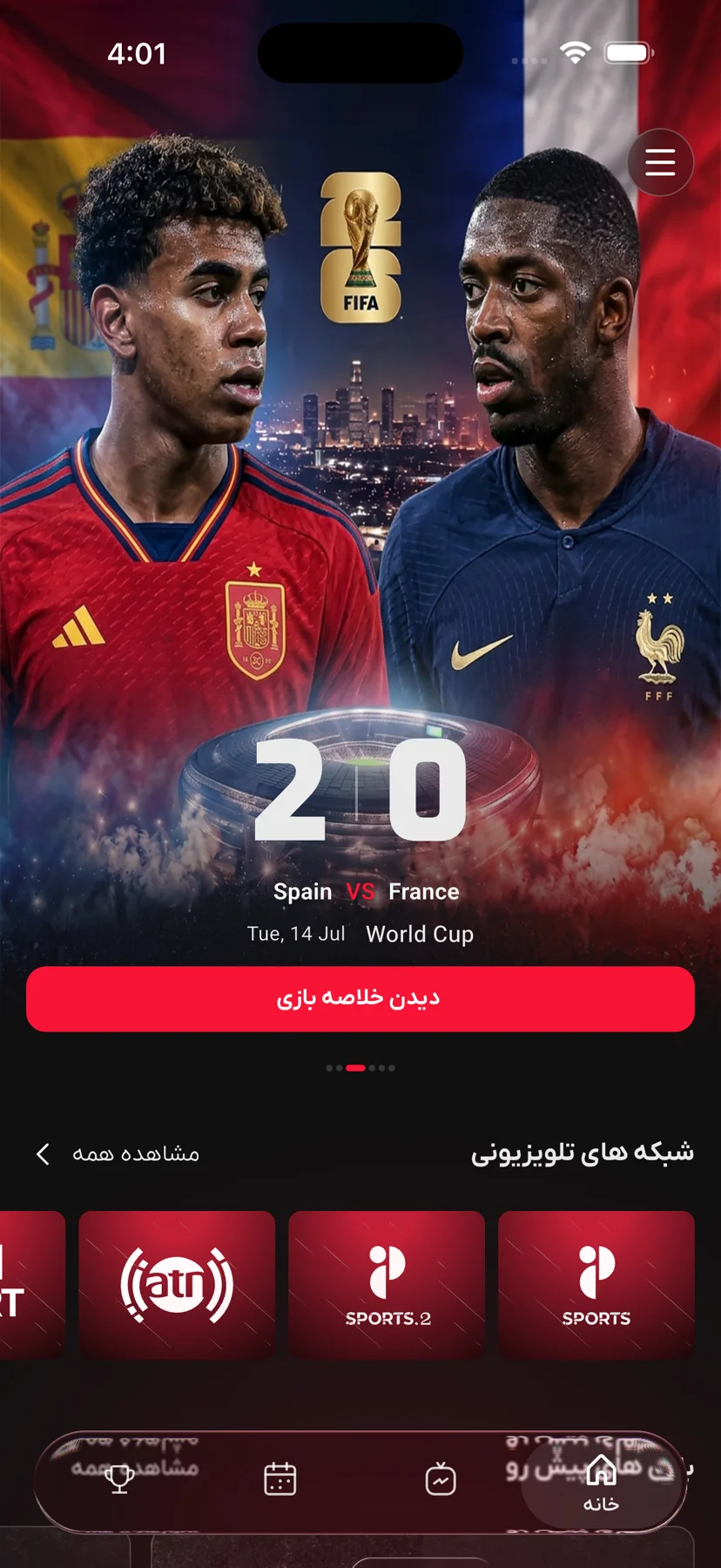
A few minutes inside the production app.
Screen 01 / 23
Live TV with the inline player above the channel list
Capabilities
What ships in the build today, not what sits on a roadmap.
A live HLS player stays active while users browse the channel list. Users can save their favorite channels locally. The layout adapts to the device: a vertical list on phones, a grid on tablets, and a horizontal list in fullscreen.
The match center shows live scores and thirteen match statistics through Socket.IO. It also includes a timeline for goals and cards, head-to-head history, and the live video player, all on the same screen.
The default video controls are completely replaced with custom controls. Users can choose video quality from the actual HLS playlist, zoom in up to 4×, change the aspect ratio, and jump back to the live point instead of using a seekbar on live streams.
Users can view league standings across multiple groups, with clear colors showing promotion and relegation positions. Fixtures are grouped by date, player statistics load as users scroll, and every row can open the full team page.
FCM handles push notifications, with device tokens managed on the server. Different types of links, including universal links, the custom liveland:// scheme, and web URLs with language prefixes, all open the correct screen inside the app, even when the app was completely closed.
Technical decisions
Each of these solutions came with a trade-off. What matters most is understanding why each choice was made. than the choice.
Restarting the video every time the user changes screens makes live TV feel broken. The same player is reused across the inline player, fullscreen, event page, and replay screens, so the video keeps playing smoothly when switching between them.
Different screens can use the same connection when they need information about the same match. This prevents duplicate subscriptions. The app waits 500 ms before disconnecting, which helps avoid unnecessary reconnects when a screen is recreated. If the connection drops, active matches automatically subscribe again.
GraphQL types are generated from the backend schema, so requests and responses are strongly typed. This helps catch problems before they reach the UI. A custom parser handles the backend's unusual error responses, while a Hive cache keeps the home screen loading quickly.
The app handles different connection problems in different ways. If the user is offline when opening the app, they see a retry screen. If the connection drops while they are already using the app, they see a small banner. When the connection comes back, the app refreshes important data, reconnects the socket, and sends any queued analytics events.
When a video stream fails, the player first tries another stream URL and then an MP4 version without immediately showing an error. Users with an unstable connection usually see a short rebuffer instead of an error dialog. If the problem cannot be fixed automatically, a single global error message handles it.
Stack
Outcome
Live on both stores. Viewers can follow matches with scores that update within seconds, while the video keeps playing smoothly as they move between screens. And when regulations require a change, the entire catalog can be updated remotely without waiting for a new store release.